Timeline Memory
A recovery panel for editors who use Replace With After Effects Composition. Preserve, inspect and safely recover the original Premiere clips and cut segments behind Dynamic Link edits.
Researching recovery options first? Read the Premiere Pro timeline recovery guide.
- Save timeline snapshots before sending clips to After Effects
- Recover existing Dynamic Link edits when no snapshot was created
- Compare the original, current and recovered timeline states
- Prepare recovery in a duplicated sequence when Premiere permits it
- Recover clips using snapshots, Auto-Save data and available project media
- Works locally in Premiere Pro so project files and media stay on your computer
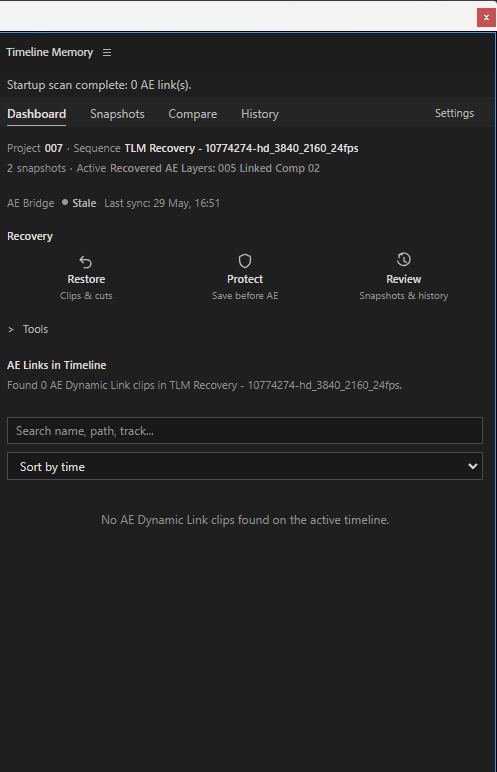
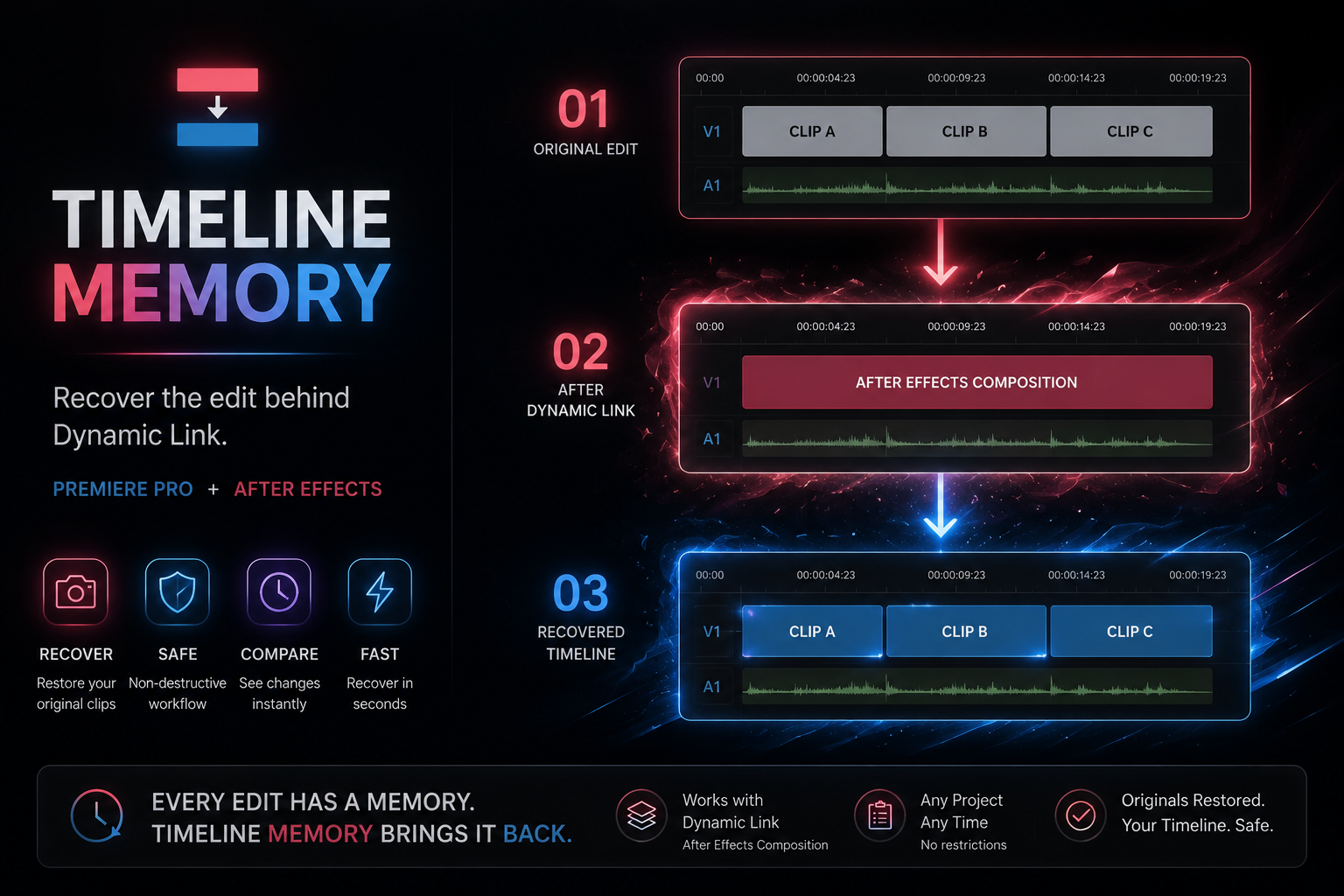
See the workflow in action
A direct look at Timeline Memory inside Premiere Pro. Playback stays on this page and loads only when requested.
Recover your Premiere Pro timeline after After Effects
Dynamic Link makes it easy to replace a Premiere edit with an After Effects composition, but returning to the exact source clips and cuts can become difficult. Timeline Memory keeps a recoverable history around that workflow.
Built for safe recovery
Recovery results are presented for review. When Premiere permits, restoration uses a duplicated recovery sequence; if a safe plan is unavailable, the operation is blocked.
Recovery workflow
- Restore From AE: scan the selected edit and available project evidence for the original Premiere material.
- Protect Before AE: save a snapshot or bind the selected Dynamic Link edit.
- Review Recovery: compare the result and restore only after the recovery plan is approved.
Compatibility
- Snapshot, comparison and sequence-history workflow
- Existing Dynamic Link recovery and evidence scanning
- Safe duplicated-sequence restore with rollback protection
- Premiere CEP panel with After Effects JSX bridge
Timeline Memory FAQ
Answers about recovery safety, Dynamic Link workflows, purchasing, delivery, compatibility and licensing.
What does Timeline Memory recover?
It helps recover the original Premiere Pro clips and cut segments behind Replace With After Effects Composition and Dynamic Link edits. It can use saved snapshots and available project evidence to build a recovery plan.
Do I need to create a snapshot before sending clips to After Effects?
A snapshot provides the most reliable recovery reference, but it is not the only option. Recover From AE can inspect an existing Dynamic Link edit and search available project evidence when no snapshot was created.
Will recovery overwrite my current sequence?
No. Timeline Memory creates a rollback snapshot and applies restored media inside a duplicated recovery sequence. If a safe recovery sequence cannot be created, the restore is blocked.
What happens when the original edit cannot be identified with certainty?
Timeline Memory presents the available recovery result for review before any change is applied. You remain in control of the final restore.
Does the extension upload my project or media?
No. Timeline Memory runs locally as a Premiere Pro CEP panel with an included After Effects bridge. Your project files and media are not uploaded to an external service.
Which versions are compatible?
The current Windows build has been tested with Premiere Pro 2026. After Effects should use the matching host generation for Dynamic Link. Other Premiere Pro versions are not advertised as verified until they are tested.
How is Timeline Memory installed?
Timeline Memory is distributed as a CEP/ZXP extension with its Premiere Pro panel and After Effects bridge. Follow the installation guide included with the package, then open the panel from Premiere Pro under Window > Extensions or Extensions (Legacy).
What license is included with the purchase?
The $79 purchase includes a single-user license. Team or studio licensing can be arranged separately.
Questions about payment, downloads, updates or refunds? Visit the General FAQ →